Run live coaching sessions without sending clients to another tool.
Clients book a session in TrainerPanel — then join the live video call right there too. Session recordings are saved automatically, so nothing gets lost between the calendar link and the Zoom invite.
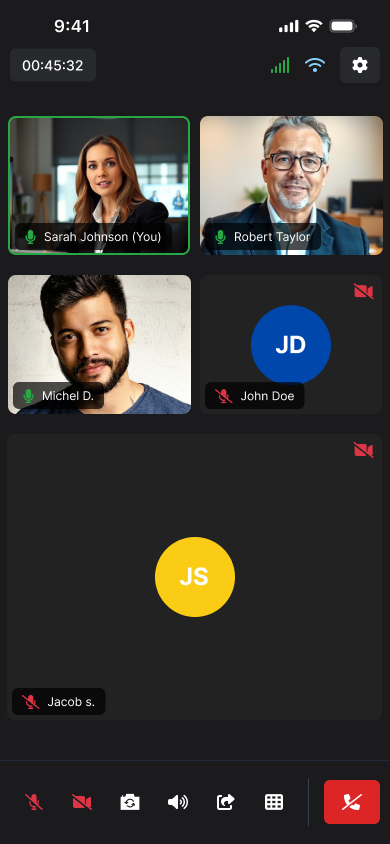
TrainerPanel Video Meetings gives coaches built-in live video sessions with session recording, included on Pro — so clients join their booked session and rewatch the recording without a separate video tool or subscription. Video Meetings is the call technology; booking and selling session time is handled by the separate Sessions feature.
Your client already booked the session in TrainerPanel. Now they join the call there too — no separate video link to send, no second tool to explain.
What Video Meetings includes
From the moment they log in, your clients have their whole coaching relationship in one place — no chasing links or scattered files.
Live 1:1 and group video sessions
Included on Pro, no separate subscription.
Session recording
Included, saved automatically.
Joins straight from the booked session
No separate link to send.
No separate video tool
One less app in your stack.
How Video Meetings works
Client books a session
Through Sessions.
You both join the call
At the scheduled time, right from the booked session.
The recording saves automatically
For either of you to review later.
Video Meetings is the call. Sessions is the booking.
| Video Meetings this page |
Sessions | |
|---|---|---|
| What it is | The live video call itself, plus recording | Booking, scheduling and selling session time |
| Answers | "How do we meet?" | "When, and how do they pay?" |
| Best for | Running the actual live coaching conversation | Filling your calendar and selling packages |
A client books a session (that's Sessions) and then joins the call (that's Video Meetings). One flow, two features working together.
Who Video Meetings is for
Online coaches running live check-ins
No more separate Zoom invite for every call.
Coaches replacing a separate video subscription
One less bill, one less login.
Coaches who want session recordings clients can rewatch
Included, not a paid add-on.
What's included
| Included in Pro | Not a separate cost |
|---|---|
| Live video sessions | No separate video-tool subscription (e.g. instead of a standalone Zoom plan) |
| Session recording | No per-recording fee |
| Joins from the booked session | No extra scheduling tool required |
Video Meetings is designed for a full coaching calendar. Fair-use video allowances exist to keep the platform fair for everyone — see the FAQ below for the specific numbers.
Video Meetings, answered.
Stop sending clients to another tool for the call.
No card needed to start. Video Meetings included on Pro, subject to Acceptable Usage Policy.